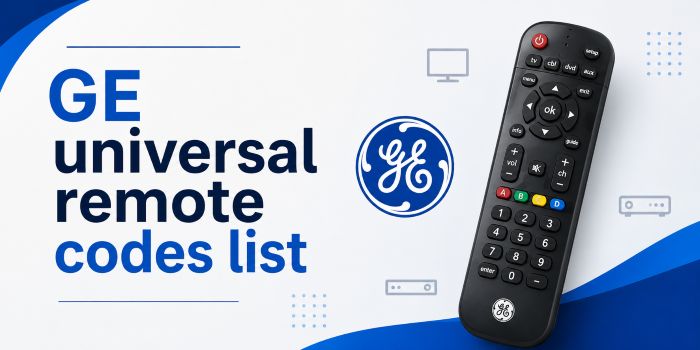
This is the complete guide for those looking for GE universal remote codes to program their devices with the GE third-party universal remote. Here, I provide all the CL3, CL4, CL5, and CL6 model remote codes so you can easily pair without any headaches. Additionally, providing the PDF format of the code list and the programming instructions that you can use for future reference.
How to know the CL model number of your GE remote control?
Every GE remote has a CL tag, which means the code list version of that particular remote is used while pairing. After finding the CL version, we have to use the 4-digit codes to pair the remote with our TV or any other devices.
To know the tag, just open the battery compartment. Then remove those installed batteries. See the description there and find whether it is tagged CL3 or CL4. CL5 or CL6 version.
GE Universal remote codes list
| TV Brands | CL3 | CL4 | CL5 | CL6 |
|---|---|---|---|---|
| Dynex | 0371 2891 3141 3161 5311 | 0371 2891 3141 3161 5311 | 0371 2891 3141 3161 5311 6521 | 0371 2891 3141 3161 5311 6521 |
| Element | 2401 4111 5361 5411 | 1091 1651 2401 5341 5361 | 1091 1651 2401 5341 5361 | 1091 1651 2401 5341 5361 |
| Emerson | 0001 0021 0031 0041 0271 | 0001 0141 0201 0231 0951 | 0001 0141 0201 0231 0951 | 0141 0201 1651 2761 2891 |
| GE | 0001 0041 0051 0141 0261 | 0001 0041 0051 0141 0191 | 0001 0041 0051 0141 0191 | 0001 0041 0051 0141 0191 |
| Hisense | 0671 2081 2211 3671 4381 | 0001 0671 1651 2081 2141 | 0001 0671 1651 2081 2141 | 0001 0671 1651 2081 2141 |
| Insignia | 0371 0581 0701 0871 0921 | 0141 0371 0581 0871 0921 | 0141 0371 0581 0871 0921 | 0141 0371 0581 0871 0921 |
| LG | 0001 0131 0251 0611 0761 | 0001 1181 1221 1911 3001 | 0001 1181 1221 1911 3001 | 0001 1181 1221 1911 3001 |
| Philips | 0001 0161 0181 0321 0421 | 0181 0201 0911 3981 4261 | 0181 0201 0911 3981 4261 | 0181 0201 0911 3981 4261 |
| RCA | 0001 0051 0091 0141 0251 | 0001 0131 1001 1521 1731 | 0001 0131 0691 1001 1521 | 0131 0691 1001 1731 2121 |
| Samsung | 0001 0101 0251 0261 0331 | 3301 5791 5801 | 3301 5791 5801 | 3301 5791 5801 |
| Sanyo | 0001 0801 1051 1161 1261 | 1161 2891 5251 5261 | 1161 2891 5251 5261 | 1161 2891 5251 5261 6171 |
| Sceptre | 3521 4071 5111 | 3521 4071 5111 | 1071 3521 4071 5111 | 1071 3521 4071 4101 5321 6671 |
| Sharp | 0001 0341 0461 0681 0691 | 0001 3191 5341 5941 6001 | 0001 3191 5341 5941 6001 | 3191 5341 5941 6001 6011 |
| Sony | 1071 1641 1731 1901 2161 | 1071 1901 2741 4981 5321 | 1071 1901 2741 4981 5321 | 1071 1901 2741 4981 5321 |
| TCL | 0091 1421 1691 1851 2011 | 5771 5961 6031 6171 6201 | 5771 5961 6031 6171 6201 | 5771 5961 6031 6171 6201 6651 |
| Toshiba | 0211 0231 0341 0351 0821 | 0211 0341 0821 1311 1571 | 0211 0341 0821 1121 1311 | 0211 0341 0821 1121 1311 |
| Vizio | 1471 1741 2021 2901 3651 | 5561 5611 5621 5631 5651 | 5561 5611 5621 5631 5651 | 5561 5611 5621 5631 5651 |
How to program a GE universal remote? – Direct code entry
- Turn ON the target device you wish to program the remote for
- Press and hold the Setup button until the red light on the remote turns on.
- Press and release the desired device button (e.g., TV, CBL, DVD, or AUD).
- Enter the first 4-digit code for your device. The red light will turn off after the code is entered.
- Point the remote at the device and test the buttons. If they do not work properly, repeat Steps 4–7 using the next code listed for your device.
- Repeat this procedure for each device you want to control.
How to program GE universal remote without codes?
Autocode search method is here as follows
- Manually turn on your TV.
- Press and hold the SETUP button until the red indicator light turns on.
- Press the TV button. To program a different device, press the corresponding device button, such as DVD, CBL, or AUX.
- Press and release the remote’s Power button every 5 seconds until the TV turns off.
- Manually turn the TV back on.
- Press and release the Volume Up button every 3 seconds until the TV turns off again.
- Press the TV button to save the code to the remote.
- Turn on the TV and test all the buttons to ensure they work properly.
Reset a GE universal remote
- Press and hold the Setup button until the red indicator light blinks for at least 2 seconds.
- Release the button. The LED indicator should remain illuminated.
- Press and release the OK button.
- Next, press and release the 0 key. The red LED indicator will blink twice, confirming that the remote has been successfully reset.